
Gear for Working From Home: Smart Buying Guide
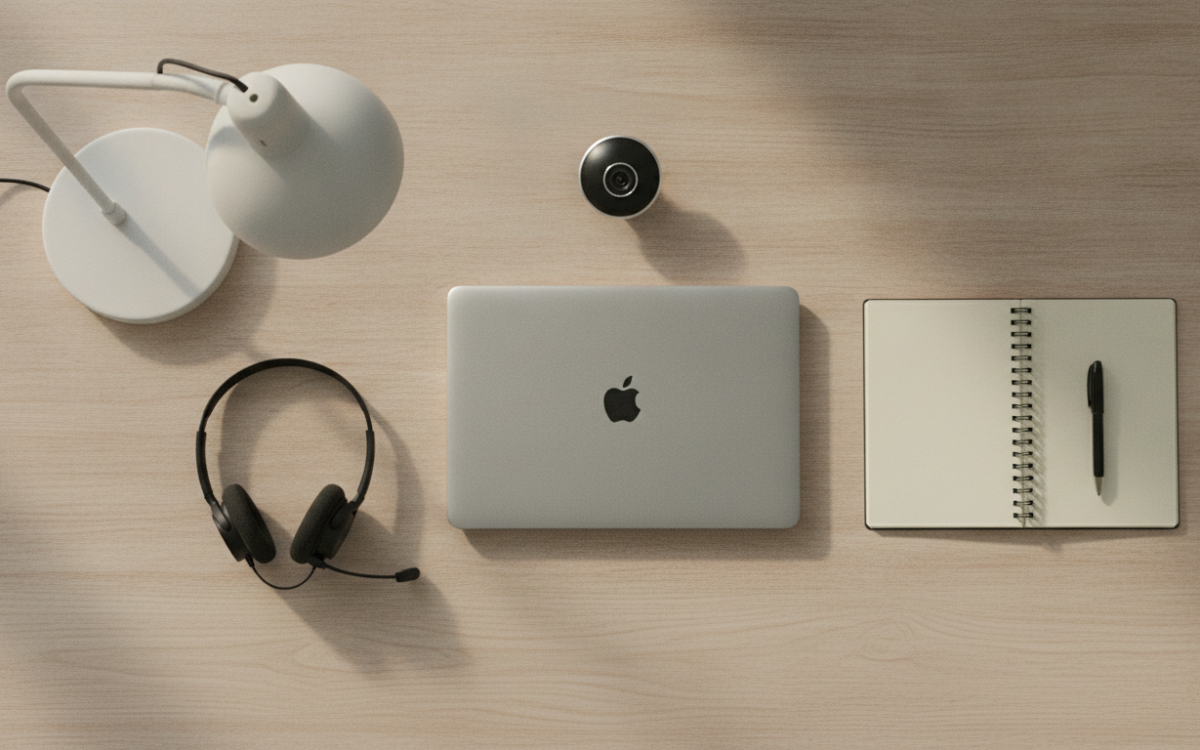
Quick answer: The best gear for working from home starts with a supportive chair, a steady desk, and clear audio and video for calls. Add good light and fast internet. Buy a few solid basics first, then upgrade slowly as you learn what you actually use each day.
Key Takeaways
- A good chair and clear call audio matter more than fancy extras.
- Buy core gear for working from home first, then upgrade over time.
- Check return windows and warranties before you buy anything.
- Read owner reviews that mention long term use, not just unboxing.
- Measure your space so your desk and chair actually fit.
What is the best gear for working from home?
The best gear for working from home is the stuff you touch every day. That means a comfy chair, a steady desk, and clear sound for calls. Start there. Everything else is a bonus.
It helps to think in layers. First, your body. Then your calls. Then the little things that make the day smoother. You do not need it all at once.
Why does good gear for working from home matter?
Good gear for working from home protects your comfort and your focus. A bad chair makes your back ache by lunch. Weak audio makes calls painful for everyone.
Also, the right gear saves money over time. Cheap junk breaks fast. You end up buying twice. So pick fewer items, but pick well.
Here are the core pieces most people need:
- A supportive chair with back and arm support
- A desk at the right height for your arms
- A webcam or laptop camera that looks clear
- A headset or earbuds with a good mic
- Decent lighting so people can see your face
- Reliable internet with a backup plan
How do you choose a good chair and desk?
Pick a chair that supports your lower back and lets your feet rest flat. That is the main test. Fancy features are nice, but support comes first.
Look for adjustable height and arm rests. Sit in one if you can. If you buy online, check the return window. A chair that feels wrong on day one will not fix itself.
For desks, measure your space before you shop. Note the height too. Your elbows should sit near a right angle when you type. A desk that is too tall strains your shoulders. Too short, and you hunch.
What gear for working from home improves your calls?
Clear audio is the fastest win. People forgive a blurry picture. They do not forgive mumbled sound. So a good mic beats a fancy camera.
A simple headset often sounds better than your laptop. Look for one that is comfy on your ears for long stretches. Try it before you commit to a long day.
For video, a basic webcam usually beats a built in laptop camera. Good light matters even more. Face a window or add a soft lamp. That one change makes any camera look better.
How do you judge value and avoid overpaying?
Value is not just the sticker. It is how long the thing lasts and how much you use it. A plain chair you sit in daily beats a flashy gadget in a drawer.
Compare a few models side by side. Match the features to what you really do. Skip extras you will never touch. Also, read reviews that mention months of use, not just the first day.
Watch for sales on core items, but do not let a deal push you into the wrong size or style. A discount on the wrong chair is still a waste. For more on smart shopping and avoiding scams, see the FTC.
Check the warranty and return policy too. Good brands stand behind their stuff. A long return window gives you time to test the gear in real life.
How do you build your setup over time?
Buy in stages. Start with your chair and audio. Use the setup for a couple of weeks. Then you will know what is missing.
Maybe you need a second screen. Maybe a laptop stand. Maybe better light. Let your real habits guide the next buy. That way your gear for working from home grows with your needs, not with hype.
Also, keep boxes and receipts for a while. If something fails early, returns are easier. And write down what you liked and did not. It makes your next purchase smarter.
Small extras that help a lot
Some cheap add ons punch above their price. A laptop stand saves your neck. A wrist rest eases typing. A small surge protector guards your gear.
Cable clips keep your desk tidy. A plain desk lamp fixes dark corners. None of this costs much. But together it makes your space feel calm and ready to work.
Your gear for working from home should fit your body, your space, and your real tasks. Buy the basics well, test them, and upgrade slowly. Shop smart, compare before you click, and your home office will pay you back every single day.
Frequently Asked Questions
What is the most important item to buy first?
Start with a supportive chair. You sit in it for hours, so it affects your comfort more than anything else. After that, get clear call audio with a good headset or mic. These two items make the biggest difference in your daily comfort and focus.
Do I need an expensive webcam?
No. A basic webcam is usually fine, and good lighting matters more than the camera itself. Face a window or add a soft lamp. For many people, a built in laptop camera with better light looks just as good as a pricey separate webcam.
How do I avoid overpaying for home office gear?
Match features to what you actually do and skip extras you will not use. Compare a few models side by side. Read reviews that mention long term use. A sale only saves money if the item is the right size, style, and fit for your space.
Is a standing desk worth it?
It can be, if you plan to switch between sitting and standing. Try to test one first or buy from a seller with a good return policy. If you rarely stand, a solid fixed desk at the right height may serve you better and cost less.
What should I check before buying online?
Check the return window, the warranty, and the measurements. Make sure the desk or chair fits your space and your height. Read a few recent reviews from real owners. Keep the receipt and box until you are sure the gear works for you.
How do I make my setup last longer?
Buy fewer, better basics instead of cheap items you replace often. Use a surge protector to guard electronics. Keep cables tidy and clean your gear now and then. Register warranties when you can. Good care and solid choices keep your setup working for years.
For more, see our Product Recommendations picks.
Prices and availability change often. Always check the current price and the full details on the seller’s own page before you buy.